

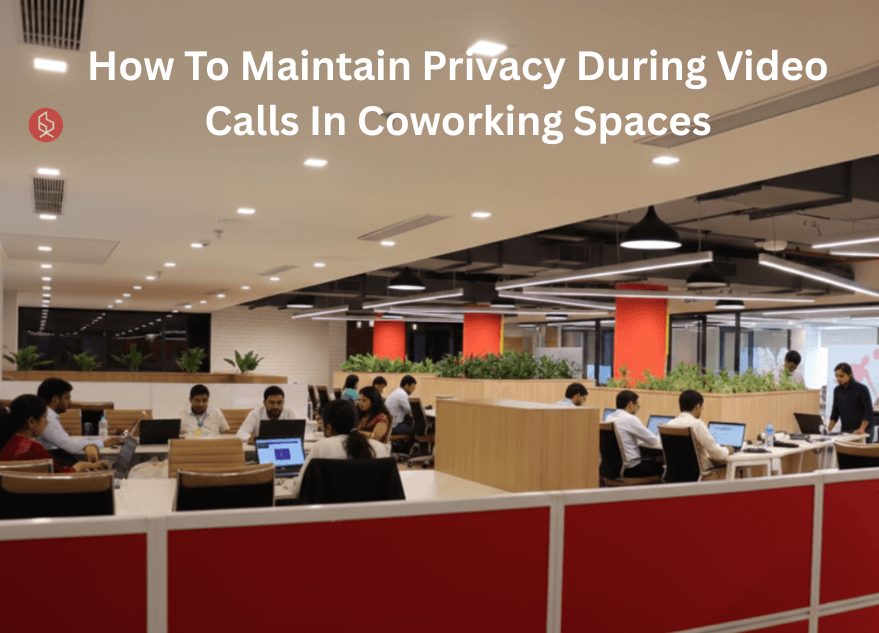
Coworking spaces offer flexibility and community, but video calls can compromise privacy. Protecting confidential conversations is essential for professionalism and data security.
💡 Are you looking for Coworking space in Gurgaon, Noida or Delhi? We are just a call away. Call Now: 08999 828282
10 Ways to Maintain Privacy During Video Calls In Coworking Spaces
- Choose Strategic Seating Locations for Video Privacy
- Utilize Private Phone Booths and Meeting Rooms
- Invest in Quality Noise-Canceling Headphones
- Apply Virtual Backgrounds to Hide Your Surroundings
- Implement Screen Sharing Best Practices
- Use Privacy Screens for Laptop Protection
- Schedule Sensitive Calls During Off-Peak Hours
- Establish Clear Meeting Protocols with Participants
- Leverage End-to-End Encrypted Video Platforms
- Create Visual Privacy Barriers in Open Spaces
1. Choose Strategic Seating Locations for Video Privacy
Position yourself in corners or against solid walls to minimize foot traffic behind you. This prevents colleagues from inadvertently walking through your camera frame or overhearing sensitive discussions. Additionally, selecting spots away from high-traffic areas, such as kitchens and entrances, reduces background noise and visual distractions that could compromise your meeting’s professionalism.
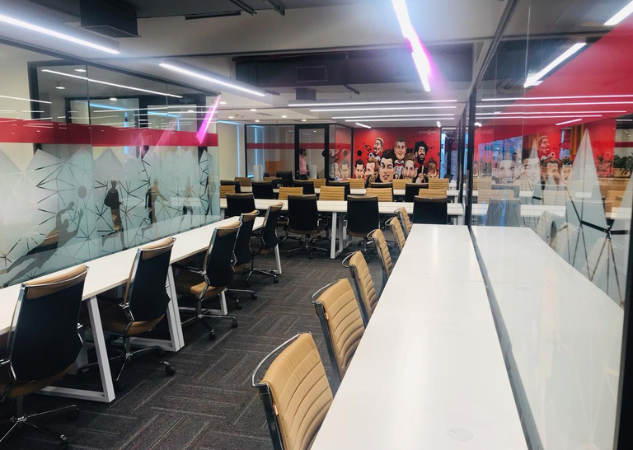
2. Utilize Private Phone Booths and Meeting Rooms
Most coworking spaces provide dedicated phone booths or bookable meeting rooms specifically designed for confidential calls. Reserve these spaces in advance, especially for important client meetings or discussions involving proprietary information. These soundproof environments ensure your conversations remain completely private while projecting a polished, professional image to meeting participants.
3. Invest in Quality Noise-Canceling Headphones
Noise-canceling headphones with built-in microphones create an audio barrier between you and the open workspace. They prevent your voice from carrying across the room while blocking ambient conversations from interrupting your call. This dual protection is invaluable when discussing sensitive topics in shared environments where complete silence isn’t guaranteed.
Also Read: Best Technology for Coworking Spaces in 2026
4. Apply Virtual Backgrounds to Hide Your Surroundings
Virtual backgrounds or blur effects conceal your physical location and prevent the exposure of confidential information visible in your workspace. This feature protects company branding, whiteboards with strategic plans, or other proprietary materials from appearing on camera. Moreover, virtual backgrounds maintain consistency across calls, projecting a polished brand image regardless of your actual environment.
5. Implement Screen Sharing Best Practices
Before sharing your screen, close all unnecessary tabs, documents, and applications containing sensitive information. Use the “share specific window” option instead of sharing your entire screen to maintain control over visible content. This prevents accidental exposure of emails, financial documents, or confidential client files during presentations or collaborative sessions.
6. Use Privacy Screens for Laptop Protection
Anti-glare privacy screens limit your display’s viewing angle, making it nearly impossible for people nearby to see your screen content. This physical barrier is particularly effective in open coworking environments where shoulder surfing is common. Privacy filters work continuously without requiring software or settings adjustments, providing constant protection throughout your workday.
7. Schedule Sensitive Calls During Off-Peak Hours
Book confidential video calls during quieter periods when fewer members occupy the coworking space. Early mornings or late afternoons typically see reduced activity, providing naturally quieter environments. This strategic timing minimizes the risk of interruptions while reducing anxiety about others overhearing your private business conversations.
8. Establish Clear Meeting Protocols with Participants
Inform meeting attendees about potential background noise or interruptions before calls begin. Set expectations by muting yourself when not speaking and using chat functions for non-urgent communication. These protocols demonstrate professionalism while managing participants’ expectations regarding the inherent challenges of the coworking environment.
💡 Are you looking for Coworking space in Gurgaon, Noida or Delhi? We are just a call away. Call Now: 08999 828282
9. Leverage End-to-End Encrypted Video Platforms
Choose video conferencing platforms offering end-to-end encryption to protect conversations from digital eavesdropping. Services like Signal, Zoom (with encryption enabled), or specialized business platforms ensure your data remains secure during transmission. This technical safeguard complements physical privacy measures, creating comprehensive protection for sensitive communications.
10. Create Visual Privacy Barriers in Open Spaces
When private rooms aren’t available, portable desk dividers or positioning yourself behind existing furniture create makeshift privacy zones. These physical barriers signal to others that you’re in a focused meeting while reducing visual exposure. Combined with strategic positioning, these simple solutions significantly enhance privacy without requiring permanent space modifications.
Conclusion
Maintaining privacy during video calls in coworking spaces requires a smart mix of physical positioning, secure technology, and mindful communication practices. From choosing the right seating and using encrypted platforms to setting clear meeting protocols, these strategies help you handle sensitive conversations with confidence in shared environments. To make this even easier, consider working from a professionally managed workspace like The Office Pass (TOP), which offers access to premium coworking spaces and private meeting rooms designed for confidentiality and productivity.
With TOP, you get the flexibility of coworking without compromising on professionalism or privacy. Get in touch with (TOP) at +91-8999-828282 to find a workspace that supports secure, seamless video calls and elevates your work experience.
FREQUENTLY ASKED QUESTIONS (FAQS):
Question: What’s the best way to prevent people from overhearing my video calls in coworking spaces?
A: Use private phone booths or meeting rooms when available, invest in noise-canceling headphones, and schedule sensitive calls during off-peak hours when the space is quieter and less populated.
Question: Are virtual backgrounds effective for maintaining privacy during video calls?
A: Yes, virtual backgrounds effectively conceal your physical surroundings, preventing confidential information like whiteboards or documents from appearing on camera while maintaining a professional appearance throughout meetings.
Question: How can I protect my laptop screen from prying eyes in open coworking areas?
A: Install a privacy screen filter on your laptop that narrows the viewing angle, making your display content invisible to people sitting beside or behind you in shared spaces.
Question: Which video conferencing platforms offer the best privacy features?
A: Platforms like Zoom (with encryption enabled), Microsoft Teams, Signal, and Google Meet offer end-to-end encryption and robust security features ideal for confidential business communications.
Question: Should I inform meeting participants that I’m calling from a coworking space?
A: Yes, briefly mentioning your location sets appropriate expectations about potential background noise and demonstrates transparency, while explaining any interruptions that might occur during the call.
Question: What time of day is best for private video calls in coworking spaces?
A: Early mornings (before 9 AM) and late afternoons (after 4 PM) typically have fewer members present, providing quieter environments ideal for confidential conversations.
Question: How do I prevent accidentally sharing confidential information during screen shares?
A: Close all unnecessary applications and documents, use the “share specific window” feature instead of entire screen sharing, and review your desktop before initiating screen sharing.
Question: Are noise-canceling headphones necessary for video calls in coworking spaces?
A: While not absolutely required, noise-canceling headphones significantly improve audio quality by blocking ambient sounds and preventing your voice from carrying, making them highly recommended for professional calls.
Question: Can I create privacy in open coworking areas without booking a private room?
A: Yes, position yourself in corners against walls, use portable desk dividers, sit behind existing furniture, or choose spots away from high-traffic areas to create makeshift privacy zones.
Question: What should I do if someone walks behind me during an important video call?
A: Use virtual backgrounds or blur effects to minimize visual disruptions, position yourself against walls when possible, and politely place a “meeting in progress” sign to discourage interruptions.