
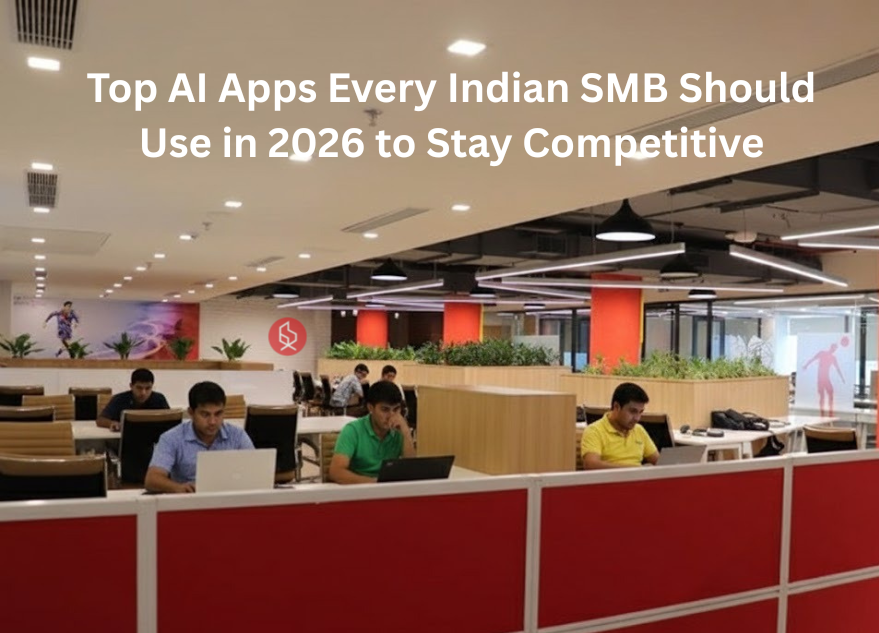
Top AI Apps Every Indian SMB Should Use in 2026 to Stay Competitive

Top AI Apps Every Indian SMB Should Use in 2026 to Stay Competitive

Artificial Intelligence (AI) is reshaping how small and medium-sized businesses (SMBs) operate in India. From automating tasks to enhancing decision-making, AI tools help owners work smarter. Here are the top AI apps Indian entrepreneurs should consider in 2026 to stay competitive and grow efficiently.

💡 Are you looking for Coworking space in Gurgaon, Noida or Delhi? We are just a call away. Call Now:   08999 828282

10 Best AI Apps to Boost Your SMB in India

  1. ChatGPT – Your Smart Virtual Business Assistant
  2. Notion AI – Boost Productivity and Team Collaboration
  3. Jasper AI – Simplify Marketing and Copywriting
  4. Pictory – Create Videos Instantly from Text
  5. Zoho Zia – Smart Analytics for Indian SMBs
  6. Grammarly – Perfect Your Business Communication
  7. ClickUp AI – Automate Workflows and Save Time
  8. Canva Magic Studio – Design with AI Power
  9. Fireflies.ai – Automate Meeting Notes and Insights
  10. ChatSpot by HubSpot – Simplify Sales and Marketing Tasks

1. ChatGPT – Your Smart Virtual Business Assistant

ChatGPT has become one of the most powerful AI apps for business operations. SMBs can use it for drafting emails, generating marketing content, automating customer responses, and even brainstorming product ideas. It acts as a personal assistant that saves hours of manual effort daily. Entrepreneurs can use ChatGPT to handle social media captions, FAQs, or proposals quickly and accurately. In 2026, its upgraded features, such as voice interactions and workflow automation, make it a must-have for any AI productivity toolkit.
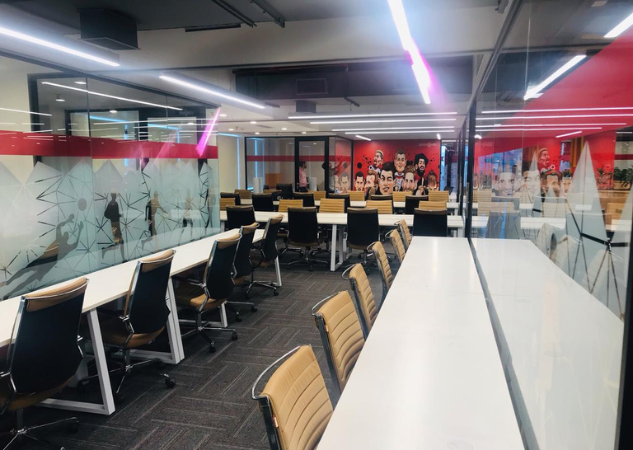
The Office Pass South Delhi
The Office Pass (TOP) Coworking Space in Delhi

2. Notion AI – Boost Productivity and Team Collaboration

For Indian startups and SMBs juggling multiple projects, Notion AI helps organize everything in one place. It uses AI automation tools to summarize meeting notes, generate project briefs, and streamline documentation. Teams can create content calendars, track progress, and delegate work effortlessly. With seamless integrations and intelligent suggestions, Notion AI turns every idea into an actionable plan, enhancing collaboration and productivity across remote and hybrid teams.

3. Jasper AI – Simplify Marketing and Copywriting

Marketing is often challenging for small businesses with limited budgets. Jasper AI makes it easy by automating content creation for blogs, ads, and social media. It’s one of the most effective AI business solutions for startups that need high-quality writing without hiring a full-time marketer. The app adapts to your brand tone, helps with SEO-friendly copy, and supports multiple languages—perfect for Indian entrepreneurs targeting regional markets.

Also Read: 10 Revolutionary AI Business Ideas to Stay Ahead of the Curve in 2026

4. Pictory – Create Videos Instantly from Text

Video marketing is booming, and Pictory helps small businesses create engaging videos without technical skills. This AI automation tool converts blog posts or scripts into short promotional videos. You can add voiceovers, captions, and background music automatically. SMBs can use it for product launches, social media promotions, or customer testimonials. With Pictory, even non-designers can produce professional-quality videos in minutes, saving both time and money.

5. Zoho Zia – Smart Analytics for Indian SMBs

Built by India’s own Zoho, Zia is an AI business assistant integrated within Zoho’s ecosystem. It helps SMBs analyze data, forecast trends, and identify opportunities. Whether it’s understanding sales patterns or improving customer engagement, Zia delivers actionable insights instantly. For businesses already using Zoho CRM, Books, or Mail, Zia’s AI-powered automation simplifies decision-making and boosts efficiency across operations.

6. Grammarly – Perfect Your Business Communication

Professional communication builds trust, and Grammarly ensures your writing is clear and error-free. From emails to proposals, it checks grammar, tone, and style in real time. It’s among the most widely used AI productivity tools for businesses of all sizes. SMB owners can confidently write to clients, investors, or customers without worrying about typos or unclear phrasing. In 2026, its upgraded AI tone detection helps maintain brand consistency in all communications.

7. ClickUp AI – Automate Workflows and Save Time

ClickUp AI is ideal for SMBs managing multiple clients or projects simultaneously. It automates routine tasks like creating to-do lists, assigning roles, and summarizing updates. This AI automation tool ensures no task is missed and deadlines are met. Small businesses can integrate ClickUp with apps like Slack and Google Workspace, making project management seamless. Its AI summaries and templates help teams focus on strategic goals instead of administrative work.

8. Canva Magic Studio – Design with AI Power

Not every SMB can afford a designer, but Canva’s Magic Studio changes that. It’s one of the best AI tools for startups that need stunning visuals for websites, social media, or ads. Entrepreneurs can describe their design idea, and Canva’s AI generates templates, layouts, and visuals instantly. With Magic Write and AI background removal, creating professional designs has never been easier. It empowers small businesses to build strong brand identities effortlessly.

💡 Are you looking for Coworking space in Gurgaon, Noida or Delhi? We are just a call away. Call Now:   08999 828282

9. Fireflies.ai – Automate Meeting Notes and Insights

Fireflies.ai is a game-changer for SMBs that hold frequent meetings. This AI business solution automatically records, transcribes, and summarizes conversations. It integrates with Zoom, Google Meet, and Microsoft Teams, ensuring you never miss key points or action items. Entrepreneurs can quickly review decisions, assign tasks, and share highlights with their team. It’s an essential productivity booster for busy founders managing multiple discussions daily.

10. ChatSpot by HubSpot – Simplify Sales and Marketing Tasks

ChatSpot combines the power of AI automation tools with CRM intelligence. It allows business owners to access customer data, send emails, and track leads through simple chat commands. For Indian SMBs focusing on growth, ChatSpot offers AI-driven marketing insights and performance reports. Its integration with HubSpot makes it one of the top AI apps for entrepreneurs who want to manage marketing and sales efficiently, even with small teams.

In 2026, AI tools for small businesses are no longer optional—they’re essential for staying competitive. Whether you want to boost productivity, improve customer experience, or simplify marketing, these AI-powered apps can transform how you run your business. By adopting these AI business solutions, Indian SMBs can save time, cut costs, and make smarter decisions. Start small, experiment with free versions, and watch your business scale faster than ever before.

For entrepreneurs seeking the perfect environment to build and scale their business, The Office Pass (TOP) offers premium coworking spaces designed for collaboration, flexibility, and innovation. Join a thriving community of professionals, enjoy hassle-free office solutions, and focus on what truly matters growing your business.

Call (TOP) at +91 8999 828282 to explore a workspace that grows with you.

FREQUENTLY ASKED QUESTIONS (FAQS):

Question: Why should small businesses in India use AI tools?

Answer:  AI helps small businesses automate repetitive tasks, analyze data quickly, and improve customer interactions. This saves time and reduces costs, allowing entrepreneurs to focus on strategy and growth instead of routine operations.

Question: Are AI apps expensive for SMBs?

Answer: Not necessarily. Many free AI tools for business like ChatGPT, Canva, and Grammarly offer essential features at no cost. Paid versions provide more advanced options, but even free plans are enough for startups to get started.

Question: Which AI app is best for marketing small businesses?

Answer: Jasper AI and Canva Magic Studio are great for content creation and visual marketing. They help generate posts, ads, and videos that attract customers while saving time and improving consistency.

Question: Can AI tools replace human employees?

Answer: No, AI tools support human workers by automating repetitive or data-heavy tasks. They help teams work smarter and faster, but creativity, strategy, and personal judgment still require human input.

Question: How do AI automation tools help startups?

Answer: AI automation tools like ClickUp AI and Fireflies.ai streamline workflows, manage tasks, and document meetings automatically. This helps startups stay organized and efficient even with small teams.

Question: What’s the best AI tool for improving writing and communication?

Answer: Grammarly and ChatGPT are the top choices. They enhance writing clarity, suggest better phrasing, and ensure your brand’s tone stays professional and consistent across all platforms.

Question: Do I need technical skills to use AI business solutions?

Answer: No, most AI productivity tools are designed for non-technical users. They come with easy-to-use interfaces, tutorials, and templates, so even beginners can start using them right away.

Question: How can AI improve customer service for SMBs?

Answer: AI chatbots and virtual assistants like ChatGPT and Zoho Zia can handle customer queries instantly, offer product recommendations, and ensure 24/7 support—enhancing customer satisfaction and loyalty.

Question: What are some free AI tools for startups in India?

Answer: Popular free options include Canva, Grammarly, ChatGPT, and Notion AI. They provide essential features for marketing, writing, and team management without upfront costs.

Question: What’s the future of AI for small businesses in India?

Answer: By 2026, AI will become an integral part of everyday business. As tools become more affordable and localized, Indian SMBs that adopt AI early will gain a strong edge in efficiency, innovation, and competitiveness.
BOOK A COWORKING TOUR

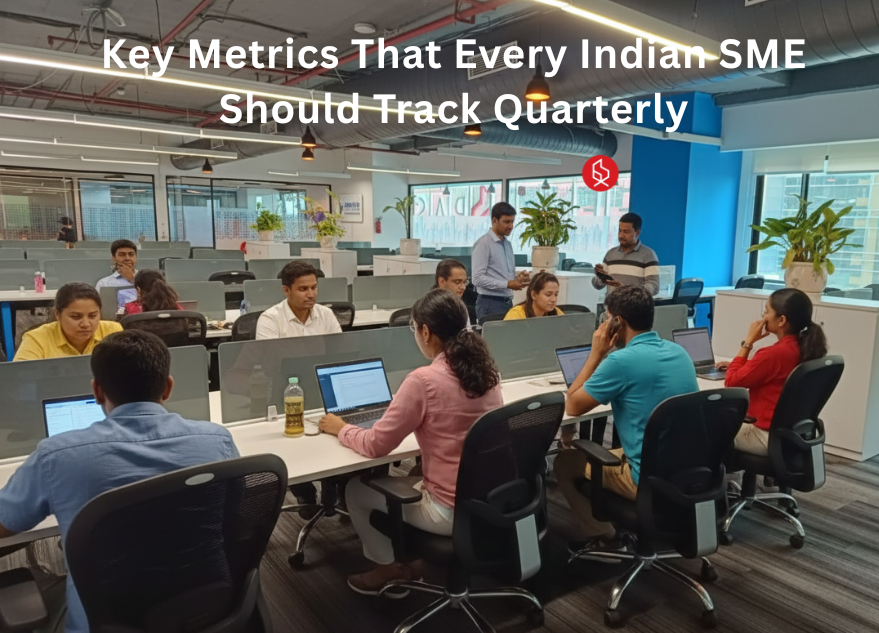
Key Metrics That Every Indian SME Should Track Quarterly

Key Metrics That Every Indian SME Should Track Quarterly

Starting a business in India is tough, and many startups fail not from lack of effort but from poor financial visibility. The ones that survive stop guessing and track the metrics that truly matter.

💡 Are you looking for Coworking space in Gurgaon, Noida or Delhi? We are just a call away. Call Now:   08999 828282

10 Key Metrics Every Indian SME Should Track Quarterly

  1. Operating Cash Flow: Your Business’s Oxygen
  2. Days Sales Outstanding (DSO) & The 45-Day Rule
  3. Gross Profit Margin: Pricing for Survival
  4. Customer Acquisition Cost (CAC)
  5. Employee Turnover Rate (Attrition)
  6. Inventory Turnover Ratio
  7. Net Profit Margin
  8. Digital Adoption & Transaction %
  9. Customer Retention Rate
  10. Debt-Service Coverage Ratio (DSCR)

1. Operating Cash Flow: Your Business’s Oxygen

Why Startups Fail: Running out of cash is the number one reason why startups fail. You can be profitable on paper but still go bankrupt if cash isn’t hitting your bank account to pay salaries and vendors. The Metric: Operating Cash Flow measures the actual cash generated from your daily business operations. Indian SME Context: In India, where payment delays are common, “profit” is vanity, but cash is sanity. Track this quarterly to ensure you have enough liquidity to survive the next cycle without taking expensive emergency loans.

The Office Pass Noida
The Office Pass (TOP) Coworking Space in Noida

2. Days Sales Outstanding (DSO) & The 45-Day Rule

Startup Failure Reasons: Many businesses collapse because their money is stuck in the market. If your customers take 90 days to pay but you must pay suppliers in 30, you will face a cash crunch. The Metric: DSO measures the average number of days it takes to collect payment after a sale. Indian SME Context: This is critical given the “credit culture” in Indian trade. Crucially, track if your buyers are adhering to the MSME 45-day payment rule (Section 43B(h)), which mandates payments to registered MSMEs within 45 days to avoid tax penalties for the buyer.

3. Gross Profit Margin: Pricing for Survival

Top Reasons Startups Fail: Selling a product for less than it costs to make and deliver is a silent killer. Many founders underestimate hidden costs like logistics (packaging, last-mile delivery). The Metric: Gross Profit Margin = (Revenue – Cost of Goods Sold) / Revenue. Indian SME Context: With inflation fluctuating in India (raw material costs, fuel prices), a healthy gross margin (typically 30-50% depending on the sector) ensures you have enough buffer to cover overheads like rent and electricity.

Also Read: 10 Mistakes Almost Every SME Makes On Its Website

4. Customer Acquisition Cost (CAC)

Reasons Why Startups Fail: Spending ₹500 to acquire a customer who only spends ₹300 is a guaranteed path to failure. Marketing budgets can drain rapidly without ROI. The Metric: Total Sales & Marketing Spend / Number of New Customers Acquired. Indian SME Context: As Indian SMEs shift to digital marketing (Facebook/Instagram ads), it’s easy to overspend. Track CAC to ensure your “digital transformation” is actually profitable.

5. Employee Turnover Rate (Attrition)

How to Make a Startup Successful: You cannot build a stable company with a revolving door of talent. Losing trained staff disrupts operations and increases hiring costs. The Metric: (Employees who left / Average total employees) x 100. Indian SME Context: The Indian job market is highly competitive. High turnover often signals cultural issues or uncompetitive wages. keeping this low is cheaper than constantly recruiting and training new staff.

6. Inventory Turnover Ratio

Startup Failure Reasons: “Dead stock” is essentially piles of cash sitting on your shelves, gathering dust. Poor inventory management leads to obsolescence and storage costs. The Metric: Cost of Goods Sold / Average Inventory. Indian SME Context: For traders and manufacturers, this shows how fast you sell your stock. A low ratio means you are overstocking; a high ratio means you are efficient. Aim to turn over inventory faster than you have to pay your suppliers.

7. Net Profit Margin

Why Startups Fail: Focusing on “top-line” revenue while ignoring the “bottom line.” You might have crores in sales, but if your net margin is 2%, a single bad month can wipe you out. The Metric: (Net Profit / Total Revenue) x 100. Indian SME Context: This is the ultimate truth of your business health after all expenses (taxes, interest, rent). A healthy net margin in India (aim for 10-15%+) attracts investors and bank loans.

8. Digital Adoption & Transaction

How to Make a Startup Successful: In modern India, refusing to digitize is a decision to stay small. Ignoring digital payments or tools limits your market reach. The Metric: Percentage of revenue collected via digital channels (UPI, Neobanking, Payment Gateways). Indian SME Context: With 73% of MSMEs reporting growth via digital adoption, tracking this helps you understand your customer’s preferred payment methods and reduces cash handling risks/theft.

💡 Are you looking for Coworking space in Gurgaon, Noida or Delhi? We are just a call away. Call Now:   08999 828282

9. Customer Retention Rate

Top Reasons Startups Fail: It is 5-7 times more expensive to find a new customer than to keep an existing one. Ignoring your loyal base to chase new leads is a classic mistake. The Metric: Percentage of customers who return to buy again within a quarter. Indian SME Context: Indian business relies heavily on vyavahar (relationships). High retention proves you have “Product-Market Fit” and trust assets that no amount of advertising money can buy.

10. Debt-Service Coverage Ratio (DSCR)

Startup Failure Reasons: Over-leveraging. Borrowing more than the business earnings can support leads to a “debt trap” where you work only to pay the bank. The Metric: Net Operating Income / Total Debt Service (Principal + Interest). Indian SME Context: If you have taken a Mudra loan or a business OD, this metric tells you if you can comfortably make your EMI payments. A ratio below 1 means you are losing money; aim for 1.25 or higher.

Success in entrepreneurship is rarely about a single “big idea”; it is about the discipline of execution. By tracking these 10 metrics, you move away from “gut feeling” management to data-driven decision-making. This shift is how to make a startup successful. Remember, you can’t improve what you don’t measure. Start small, review these numbers every quarter, and watch your control over your business grow.

If you’re building a startup and want a workspace that supports productivity, community, and professional growth, consider The Office Pass (TOP) India’s fastest-growing neighborhood coworking network. Their offices are designed for founders who want flexibility, affordability, and a thriving community of like-minded professionals.

To explore plans or book a tour, call TOP at +91 8999 828282. Your entrepreneurial journey deserves a workspace that grows with you.

FREQUENTLY ASKED QUESTIONS (FAQS):

Question: What is the most critical metric for a new Indian business?

Answer: Cash Flow is the most critical. In the early stages, survival depends on liquidity. Even if you have high sales, delayed payments (common in India) can kill your operations. Prioritize tracking money in versus money out to ensure you can keep the lights on.

Question: What is the “45-Day Payment Rule” for MSMEs?

Answer: This refers to Section 43B(h) of the Income Tax Act. It mandates that buyers must pay registered Micro and Small Enterprises within 45 days (if there is an agreement) or 15 days (without one). If they fail to do so, they cannot claim tax deductions on that expense, which encourages timely payments to you.

Question: How do I calculate “Burn Rate” for my startup?

Answer: Burn Rate is simply the amount of money your startup spends (loses) per month. To calculate it, look at your cash balance at the start of the month minus the cash balance at the end. If you start with ₹5 Lakh and end with ₹4 Lakh, your burn rate is ₹1 Lakh/month.

Question: Why is my Gross Margin high but my Net Profit low? 

Answer: This usually happens when your operating expenses (overheads) are too high. Your product might be profitable to make (good Gross Margin), but high rent, excessive salaries, or marketing costs are eating up all the profit before it reaches the bottom line.

Question: How much should I spend on acquiring a customer (CAC)?

Answer: A good rule of thumb is that your Customer Lifetime Value (LTV)—the total profit you make from a customer over time—should be at least 3 times your CAC (LTV:CAC ratio of 3:1). If you spend ₹100 to get a customer, they should eventually bring you ₹300 in profit.

Question: What is a “good” inventory turnover ratio?

Answer: It varies by industry. For perishable goods (food), it should be very high (stock sells in days). For electronics or hardware, it might be lower. Generally, a higher ratio is better because it means you are selling goods fast and not tying up cash in unsold stock.

Question: Can I track these metrics manually?

Answer: Yes, you can use Excel or even a notebook, but it is prone to error. Affordable accounting software (like Zoho Books, Tally, or Vyapar) can automate this for you. As you scale, automated tracking becomes essential to avoid startup failure reasons like bad data.

Question: What does “Product-Market Fit” mean?

Answer: It means your product satisfies a strong market demand. You know you have it when customers are buying as fast as you can make/deliver, retention is high, and customers are referring others. Lack of this is one of the top reasons startups fail.

Question: How do I reduce my Days Sales Outstanding (DSO)?

Answer: Send invoices immediately upon delivery, not at the end of the month. Offer small discounts (e.g., 2%) for early payment. rigorous follow-ups are key in the Indian market; do not be afraid to chase payments that are rightfully yours.

Question: Is “Revenue” the same as “Cash Flow”?

Answer: No! Revenue is the sales you have booked (invoice sent), but Cash Flow is the money you have actually received. You can have ₹10 Lakh in Revenue but ₹0 in Cash Flow if no one has paid you yet. Confusing these two is a major reason why startups fail.


BOOK A COWORKING TOUR

10 Mistakes Almost Every SME Makes On Its Website

10 Mistakes Almost Every SME Makes On Its Website

posted in: Business | 0

Running a small business is tough, and in today’s digital world, your website often serves as the very first impression you make on a potential customer. Many SMEs unintentionally drive traffic away with common errors that are surprisingly easy to fix once you know exactly what to look for.

💡 Are you looking for Coworking space in Gurgaon, Noida or Delhi? We are just a call away. Call Now:   08999 828282

10 Common Website Mistakes SMEs Should Avoid

  1. Neglecting Mobile Responsiveness
  2. Slow Loading Speeds
  3. Unclear Value Proposition (The “5-Second Rule”)
  4. Hiding Contact Information
  5. Weak or Missing Calls to Action (CTAs)
  6. Overcomplicated Navigation and Clutter
  7. Ignoring Basic SEO (Search Engine Optimization)
  8. Lack of Social Proof and Testimonials
  9. Using Generic Stock Photography
  10. Not Tracking Website Analytics

1. Neglecting Mobile Responsiveness

In an era when over half of all web traffic comes from smartphones, having a site that looks good only on desktops is a major error. Many small business websites still require users to “pinch and zoom” to read text on a phone, which is an immediate turn-off. If a potential customer struggles to navigate your menu or click a button on their mobile screen, they will simply leave and visit a competitor.

Search engines like Google now prioritize “mobile-first” indexing, meaning if your site isn’t optimized for mobile, your search rankings will suffer. To fix this, ensure your design is “responsive,” meaning it automatically adjusts to fit any screen size. Test your site on your own phone today; if you can’t easily tap the “Call Us” button with your thumb, it’s time for an update.

The Office Pass South Delhi
The Office Pass (TOP) Coworking Space in Delhi

2. Slow Loading Speeds

We live in a world of instant gratification, and your customers have very little patience for a slow website. Research suggests that visitors will abandon a site if it takes more than three seconds to load. For an SME, a slow website doesn’t just look unprofessional; it directly causes lost revenue. The most common culprit is large, unoptimized images that clog bandwidth.

To speed things up, you don’t need to be a coding wizard. Start by compressing your images before uploading them using free online tools. Additionally, minimize the use of excessive plugins or flashy animations that drag down performance. A fast, snappy website respects your customers’ time and signals that your business is efficient and reliable.

3. Unclear Value Proposition (The “5-Second Rule”)

When a visitor lands on your homepage, they should understand exactly what you do and who you serve within five seconds. Unfortunately, many SME websites are cluttered with vague jargon, generic welcome messages, or abstract imagery that doesn’t relate to the actual service. If a customer has to hunt for information to determine whether you can solve their problem, you have likely already lost them.

Your “Hero Section” the top part of your homepage needs a clear, bold headline. Instead of saying “Welcome to Excellence,” say “Affordable Plumbing Services in Chicago.” Focus on the customer’s benefit, not just your company’s features. Clarity beats cleverness every time. Make sure your headline directly addresses a pain point and offers your specific solution immediately.

Also Read: 10 Ways Startups Can Increase Their Visibility

4. Hiding Contact Information

It seems counterintuitive, but many business websites make it incredibly difficult for customers actually to contact them. Buried contact forms, tiny phone numbers in the footer, or a lack of a physical address can frustrate users who are ready to buy. If you are a local business, your phone number and address are arguably the most essential pieces of content on your site.

Place your phone number in the top right corner of the header on every page. If you are on mobile, this should be a “click-to-call” button. Additionally, have a dedicated “Contact Us” page that is easy to find in the main navigation. By reducing friction and making yourself accessible, you build trust and encourage that all-important initial inquiry.

5. Weak or Missing Calls to Action (CTAs)

A website without clear Calls to Action (CTAs) is like a salesperson who never asks for the sale. Many SME websites provide great information but fail to tell the visitor what to do next. Leaving the user to guess whether they should “Call Now,” “Get a Quote,” or “Download the Catalog” results in passive browsing rather than active engagement.

Every page on your site should have a specific goal. Use buttons with contrasting colors and action-oriented text. Instead of a generic “Submit” button, use “Get My Free Consultation” or “Book Your Appointment.” Guide your visitor through a journey. If they are reading a blog post, suggest a related service. If they are on the service page, give them a button to request pricing. Be direct and clear.

6. Overcomplicated Navigation and Clutter

Small business owners often want to show everything they offer at once, leading to cluttered menus and overwhelming layouts. A navigation bar with 12 different tabs or a homepage packed with walls of text creates “cognitive load.” When a user feels overwhelmed by choices, they tend to freeze and take no action.

The solution is to embrace simplicity and white space. Limit your main menu to the essentials: Home, About, Services, and Contact. You can use drop-down menus for sub-categories if necessary, but keep the primary options clean. Use short paragraphs, bullet points, and plenty of empty space to make your content scannable. A clean, organized design suggests an organized business that is easy to work with.

7. Ignoring Basic SEO (Search Engine Optimization)

You might have the most beautiful website in the world, but it is useless if nobody can find it. Many SMEs ignore Search Engine Optimization (SEO) because they think it is too technical or expensive. Consequently, they miss out on free “organic” traffic from Google. This includes failing to use local keywords (like “Bakery in [City Name]”) or neglecting meta descriptions.

You don’t need to hire an expensive agency to get the basics right. Start by identifying the keywords your customers actually type into Google when looking for your services. Incorporate these naturally into your page titles, headings, and content. Ensure you have a “Google My Business” profile linked to your site. These small, consistent efforts help search engines understand what you do and rank you higher for local searches.

8. Lack of Social Proof and Testimonials

In the digital age, trust is the currency of business. A common mistake is failing to demonstrate that others are happy with your product or service. If your website is just you talking about how great you are, customers will be skeptical. They want to know that others have spent money with you and had a positive experience.

Showcase testimonials, reviews, and case studies prominently on your homepage and service pages. Don’t just bury them on a separate “Testimonials” page that no one visits. Use real names and photos of your clients if possible (with permission), as this adds authenticity. If you have a high rating on Google or Yelp, display a badge showing those stars. Social proof significantly lowers the risk for new customers.

💡 Are you looking for Coworking space in Gurgaon, Noida or Delhi? We are just a call away. Call Now:   08999 828282

9. Using Generic Stock Photography

While stock photos are convenient, overusing them can make your business look generic, impersonal, or even fake. We have all seen the same picture of the “smiling corporate team shaking hands” on a dozen different websites. This creates a disconnect because customers know that isn’t your actual team. It fails to build the personal connection that small businesses rely on.

Whenever possible, use high-quality, real photos of your team, office, trucks, or products. Even if they aren’t studio-quality, authentic photos help customers visualize who they will be doing business with. It humanizes your brand. If you must use stock photos, choose high-quality, candid-style images that match your brand’s color palette and vibe, rather than stiff, staged corporate imagery.

10. Not Tracking Website Analytics

The final major mistake is flying blind. Many SMEs launch their websites and then never look at the data to see how they are performing. Without analytics, you don’t know how many people are visiting, where they are coming from, or which pages are causing them to leave. You cannot improve what you do not measure.

Installing a tool like Google Analytics is free and essential. It provides gold data on user behavior for your business. You might discover that everyone leaves your “Pricing” page, suggesting your prices are unclear. You might see that most traffic comes from a specific blog post. This data allows you to make informed decisions to tweak your site, optimize your marketing, and ultimately grow your business based on facts, not guesses.

Building a successful website is not a one-time task but an ongoing journey of refinement. The good news is that all these common mistakes are easy to fix with steady attention to user experience, speed, and clarity. As you work on elevating your online presence, having the right environment matters The Office Pass (TOP) offers productive, community-focused coworking spaces to help you stay consistent. You can reach TOP at +91 8999 82 82 82 for flexible workspace options across Delhi-NCR. Start by improving just one or two areas this week, and you’ll be well on your way to turning your website into a powerful 24/7 growth engine.

Frequently Asked Questions (FAQs)

Question: Do I need to hire a professional developer or can I use a website builder?

Answer: For most small businesses, modern website builders like Wix, Squarespace, or Shopify are excellent starting points. They offer professional templates that handle mobile responsiveness and design basics automatically. However, if your business requires complex custom features or a very specific database structure, hiring a professional developer is worth the investment to ensure the site functions correctly and scales as you grow.

Question: How often should I update the content on my website?

Answer: You should aim to update your website regularly to show both Google and your customers that you are active. This doesn’t mean redesigning the homepage every week. Instead, try to publish a new blog post or case study once a month, or update your “News” section. Keeping your content fresh helps with SEO rankings and ensures your customers always have the most current information about your services.

Question: Why is “Mobile-First” so important for my small business?

Answer: “Mobile-First” is important because the majority of users now access the internet via smartphones. Google also uses the mobile version of your site to determine your search ranking. If your site is hard to use on a phone, Google pushes you down the search results, and customers who click on your link will likely leave immediately out of frustration. It is essential for visibility and user retention.

Question: What is the most important page on my website?

Answer: While the Homepage gets the most traffic, your “About Us” page is often the second most visited and is crucial for building trust. However, for a service-based SME, the “Services” page and “Contact” page are the most important for conversion. You need a balance: the Homepage draws them in, the Services page convinces them you can help, and the Contact page closes the deal.

Question: How can I improve my website speed without technical skills?

Answer: The easiest way to improve speed without coding is to optimize your images. Before uploading a photo, use a free tool like TinyPNG to reduce the file size without losing quality. Also, avoid using too many different fonts or excessive plugins. If you use a website builder, choose a simple, clean template, as these are generally coded to load faster than complex, animation-heavy designs.

Question: What exactly is a “Call to Action” (CTA)?

Answer: A Call to Action (CTA) is a prompt on your website that tells the user exactly what step to take next. It is usually a button or a link with command-oriented text. Examples include “Call for a Quote,” “Sign Up for Our Newsletter,” or “Buy Now.” Good CTAs remove decision fatigue and guide the visitor toward becoming a paying customer.

Question: Is a blog really necessary for a small business website?

Answer: While not strictly mandatory, a blog is highly recommended. It is one of the best ways to improve your SEO because it allows you to target more keywords related to your industry. It also establishes you as an expert in your field. By writing helpful articles that answer common customer questions, you build trust and give people a reason to visit your site repeatedly.

Question: How do I know if my website is secure?

Answer: You can tell your site is secure if the URL starts with “https://” rather than just “http://” and shows a small padlock icon in the browser bar. This is achieved by installing an SSL certificate. Most website hosts provide this for free or for a small fee. Security is vital because Google warns users against visiting non-secure sites, which can scare away potential customers.

Question: What are “Keywords” and how do I find them?

Answer: Keywords are the specific words or phrases people type into search engines to find businesses like yours. To find them, simply think about what you would type if you were a customer looking for your service (e.g., “emergency plumber near me”). You can also use free tools like Google Trends or AnswerThePublic to see what questions people are asking related to your industry.

Question: How long does it take for SEO to work?

Answer: SEO is a long-term strategy, not a quick fix. It typically takes 3 to 6 months to start seeing significant changes in your rankings and traffic. This is because search engines need time to crawl your new content, and you need time to build

BOOK A COWORKING TOUR

What is the Difference Between a Meeting Room and a Conference Room?

What is the Difference Between a Meeting Room and a Conference Room?

posted in: Coworking | 0

Meeting rooms and conference rooms may sound similar, but they serve different purposes in a workplace. Understanding these differences helps businesses choose the right space for their needs.

💡 Are you looking for Coworking space in Gurgaon, Noida or Delhi? We are just a call away. Call Now:   08999 828282

10 Difference Between a Meeting Room and a Conference Room

  1. What is a Meeting Room?
  2. What is a Conference Room?
  3. Size and Capacity Differences
  4. Purpose and Use Cases
  5. Technology and Equipment
  6. Atmosphere and Design
  7. Booking and Availability
  8. Cost Considerations
  9. Accessibility for Entrepreneurs
  10. Choosing the Right Space

1. What is a Meeting Room?

A meeting room is a small to medium-sized space designed for discussions, brainstorming sessions, and quick team huddles. It usually accommodates 4–12 people and is ideal for internal meetings, one-on-one sessions, or small project updates. Meeting rooms are often equipped with whiteboards, basic presentation tools, and comfortable seating. They are best for informal or semi-formal gatherings where collaboration is the focus. When learning what is a meeting room, think of it as a flexible space that promotes communication and quick decision-making without the need for complex technology or large-scale arrangements.

The Office Pass Noida
The Office Pass (TOP) Coworking Space in Noida

2. What is a Conference Room?

A conference room is typically larger and more formal than a meeting room. It is designed to host bigger groups, often 12–50 people, for structured discussions, client presentations, and strategic planning. What is a conference room? It’s a well-equipped space featuring projectors, video conferencing tools, microphones, and large tables for presentations. Businesses use conference rooms for high-stakes meetings, training sessions, or board discussions. The design often focuses on professionalism and advanced technology to ensure smooth communication between in-person and remote participants.

3. Size and Capacity Differences

When comparing meeting room vs conference room, size is one of the main differences. Meeting rooms are compact and ideal for small gatherings, often under 12 participants. Conference rooms, on the other hand, are spacious, designed to accommodate large groups comfortably. The seating arrangement in a conference room is often formal—such as U-shape or boardroom style—while meeting rooms may have more casual setups. Choosing the right size ensures participants are comfortable and engaged without wasting resources on unused space.

Also Read: How To Choose The Ideal Space for Holding a Meeting?

4. Purpose and Use Cases

The difference between meeting room and conference room becomes clear when you consider their purposes. Meeting rooms are perfect for quick catch-ups, creative brainstorming, or progress reviews. Conference rooms are more suited for formal negotiations, client meetings, or annual strategy sessions. A startup may rely heavily on meeting rooms for day-to-day collaboration, while an established corporation may require both types of spaces for different needs.

5. Technology and Equipment

Technology plays a major role in distinguishing meeting room vs conference room setups. Meeting rooms usually offer basic tools like whiteboards, monitors, or simple video conferencing options. Conference rooms, however, are equipped with advanced systems—multiple screens, surround sound, high-definition video conferencing, and presentation clickers. This makes conference rooms better suited for complex presentations and hybrid meetings involving participants from different locations.

6. Atmosphere and Design

When exploring the difference between meeting room and conference room, atmosphere matters. Meeting rooms often have a casual, collaborative vibe, encouraging open discussion. They may feature flexible furniture, colorful walls, and natural lighting. Conference rooms, on the other hand, are designed for formality, often with neutral tones, long tables, and a professional setting. The design reflects the type of discussions typically held there.

7. Booking and Availability

Meeting rooms are generally easier to book and may be available on short notice. They are often located throughout an office to encourage spontaneous discussions. Conference rooms, because of their size and demand, usually require advance booking. In meeting room vs conference room comparisons, availability is a practical consideration—frequent internal meetings benefit from accessible meeting rooms, while important events benefit from scheduled conference rooms.

8. Cost Considerations

Cost can be a deciding factor in the difference between meeting room and conference room. Meeting rooms are more affordable to rent or maintain due to their smaller size and simpler equipment. Conference rooms come with higher costs because of their larger space, advanced technology, and formal setup. Businesses should balance cost with the importance of the meeting when deciding which space to use.

9. Accessibility for Entrepreneurs

For aspiring entrepreneurs, knowing what is a meeting room and what is a conference room is essential for networking and business growth. Meeting rooms are perfect for quick client updates or investor discussions in co-working spaces. Conference rooms are ideal when you need to make a strong impression during a formal pitch or product launch. Choosing the right room can enhance professionalism and credibility.

10. Choosing the Right Space

Ultimately, the difference between meeting room and conference room comes down to purpose, size, technology, and budget. Ask yourself: Is the gathering formal or informal? How many participants are there? What equipment will you need? Entrepreneurs and business leaders can save time, money, and effort by selecting the right type of room for each meeting.

While meeting rooms and conference rooms may seem interchangeable, they cater to different needs. Meeting rooms are smaller, informal, and great for collaboration, while conference rooms are larger, formal, and equipped for high-profile events. Understanding these distinctions ensures that you choose the right space for every occasion, boosting productivity and professionalism in your business interactions.

If you’re looking for flexible, fully equipped meeting and conference spaces in prime business locations, The Office Pass (TOP) offers the perfect solution. With its coworking hubs designed for convenience and collaboration, TOP helps businesses of all sizes access professional workspaces without the long-term commitments of traditional offices. To book a meeting or learn more, call 8999 82 82 82 today.

Frequently Asked Questions (FAQs)

Question: What is the main difference between a meeting room and a conference room?

Answer: The main difference lies in size, purpose, and formality. Meeting rooms are smaller, informal spaces for team discussions, while conference rooms are larger and designed for formal, often high-profile, meetings.

Question: Which is better for brainstorming sessions?

Answer: A meeting room is usually better for brainstorming sessions because it offers a relaxed, collaborative environment with fewer participants, allowing for open and creative discussions.

Question: Can I use a conference room for small meetings?

Answer: Yes, you can, but it may not be cost-effective. If you have only a few participants, a meeting room is more suitable and creates a more comfortable environment.

Question: Do conference rooms always have more technology?

Answer: In most cases, yes. Conference rooms typically have advanced AV equipment, multiple screens, and professional video conferencing tools, while meeting rooms have simpler setups.

Question: What is the ideal size for a meeting room?

Answer: An ideal meeting room should comfortably fit 4–12 people, with enough space for movement and tools like whiteboards or small screens for presentations.

Question: Are meeting rooms cheaper than conference rooms?

Answer: Yes, meeting rooms are generally more affordable to rent or maintain because they are smaller and require less equipment.

Question: When should I choose a conference room over a meeting room?

Answer: Choose a conference room for formal events like client pitches, board meetings, training sessions, or any gathering requiring advanced technology and more seating.

Question: Can entrepreneurs book meeting rooms in co-working spaces?

Answer: Absolutely. Many co-working spaces offer meeting rooms for rent by the hour or day, which is perfect for startups and small businesses.

Question: Do meeting rooms support virtual meetings?

Answer: Yes, most modern meeting rooms have basic video conferencing tools, though conference rooms often offer more robust technology for hybrid meetings.

Question: Does the room design affect productivity?

Answer: Yes. A meeting room’s casual design can encourage creativity, while a conference room’s formal design promotes focus and professionalism during important discussions.

BOOK A COWORKING TOUR